

The Ultimate Guide to Choosing Between Vertical and Horizontal Videos

Updated: Aug 17
Video content has become a staple in how we communicate, share stories, and capture moments. But one question often comes up: should you shoot vertical or horizontal videos? The answer depends on your goals, audience, and platform. This guide will help you understand when to use each format and how to make your videos stand out.

Why Video Orientation Matters
The orientation of your video affects how viewers experience your content. Vertical videos fill the screen on smartphones, making them immersive and easy to watch without rotating the device. Horizontal videos, on the other hand, offer a wider field of view, which suits landscapes, group shots, and traditional viewing on larger screens.
Choosing the right orientation can improve engagement and make your message clearer. Using the wrong format might frustrate viewers or reduce the impact of your video.
When to Shoot Vertical Videos
Vertical videos work best when your audience primarily uses mobile devices. Here are some situations where vertical is the better choice:
Social media stories and reels: Platforms like Instagram, TikTok, and Snapchat are designed for vertical videos. Shooting vertically fits the screen perfectly and feels natural to users.
Personal vlogs and quick updates: When you want to share moments on the go, vertical videos are easier to capture and upload directly from your phone.
Interviews or talking head videos: If the subject is framed closely and the background is minimal, vertical orientation keeps the focus tight.
Events and live streams: Vertical videos capture the height of a scene, such as a speaker on stage or a tall monument, without wasting screen space.
Vertical videos are convenient but can limit your creative options. For example, wide landscapes or group shots may feel cramped.
When to Shoot Horizontal Videos
Horizontal videos remain the standard for many types of content. Use horizontal orientation when:
Filming landscapes or wide scenes: Horizontal frames capture more of the environment, making them ideal for nature, cityscapes, or sports.
Group shots and interviews with multiple people: More horizontal space allows everyone to fit comfortably in the frame.
YouTube and traditional video platforms: Most video players and TVs display horizontal videos best, so this format suits longer, polished content.
Professional or cinematic projects: Horizontal videos offer more flexibility for editing, cropping, and adding effects.
Horizontal videos require viewers to hold their phones sideways, which some may find inconvenient. But for detailed visuals and storytelling, horizontal is often the better choice.

Tips for Choosing the Right Format
To decide which orientation fits your project, consider these factors:
Know your audience: Are they mostly on mobile devices or watching on desktops and TVs? Younger audiences often prefer vertical videos on social apps.
Think about the content: Does your video focus on a single subject or a wide scene? Vertical suits close-ups, horizontal suits expansive views.
Plan for the platform: Each platform has its preferred format. Instagram Stories and TikTok favor vertical, while YouTube and Vimeo favor horizontal.
Test both formats: Sometimes shooting both vertical and horizontal versions gives you flexibility in editing and sharing.
How Udan Chooo Plans Video Formats for Brand Campaigns
At Udan Chooo Productions, format is decided during pre-production, not after the edit. A campaign may need a cinematic 16:9 master for YouTube, websites, presentations, and brand films, alongside 9:16 edits for Instagram Reels, YouTube Shorts, Stories, and paid social advertising.
This approach helps protect the composition, the product visibility, the talent performance, and the placement of text or logos across every deliverable. It also prevents a common problem: trying to force a finished horizontal film into a vertical crop after the key visual information is already at the edges of the frame.
Case Study: Vertical-First Digital Campaigns
Oppo Reno 13 Holi Campaign (Digital-First, Vertical)
Format: Vertical 9:16 across all six videosPlatforms: Instagram, digital advertising, social mediaObjective: Promote the Oppo Reno 13 phone through a digital-first Holi campaign featuring six influencers.Artists: Ahsaas Channa, Funcho, Nia Sharma, Akriti Negi, Barkha Singh, Rhea Chakraborty
The entire campaign was shot in vertical format because it was designed for digital ad placements and social media consumption. Each video was framed to maximise mobile screen real estate, with close-ups of the product, talent, and Holi moments that would feel native in an Instagram feed or Story.


Amazon Great Indian Sale x Shipra Khanna (Influencer Collaboration, Vertical)
Format: Vertical 9:16Platforms: Instagram (Shipra Khanna's account), paid performance marketingObjective: Create authentic collaboration content for Amazon's Great Indian Sale campaign.
These ad films were shot vertically because they were intended to run as Instagram collaboration posts from MasterChef Shipra Khanna's account, with Amazon running performance marketing on top. Vertical framing ensured the content felt native to the platform and performed better in paid social placements.

Case Study: Horizontal-First Brand and Corporate Films
ICBC Bank Corporate Film (Internal & Global Meetup, Horizontal)
Format: Horizontal 16:9Platforms: Internal screenings, global meetup, office displaysObjective: Showcase team strength and the grandeur of ICBC Bank's office spaces for internal and global audiences.
This corporate video was shot in horizontal format specifically to capture wide frames that highlight the scale of the office environment and the strength of the team. Horizontal framing was essential for screenings at the bank's global meetup and internal office displays, where cinematic quality and professional presentation mattered.

Housiey DVC Campaigns (YouTube-First, Horizontal)
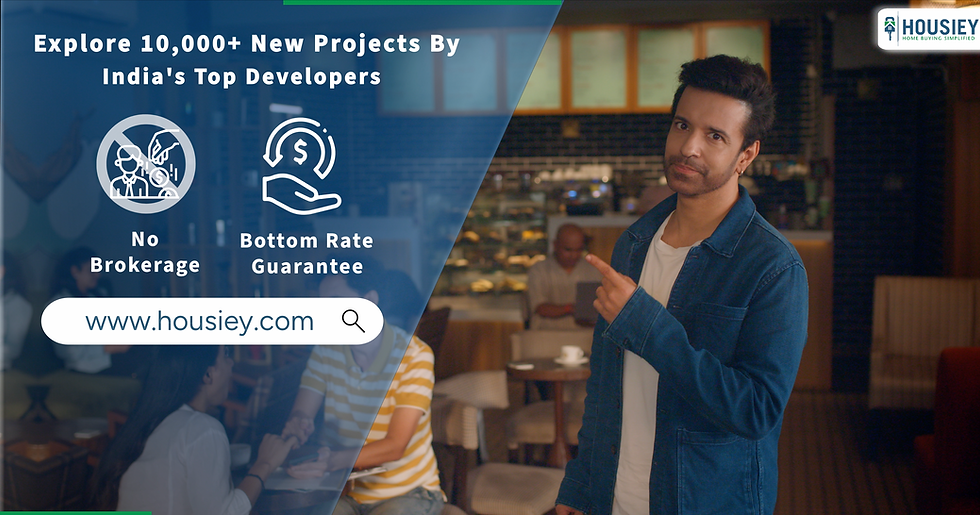
Format: Horizontal 16:9 across four videos over two yearsPlatforms: YouTube, digital platformsObjective: Target corporate audiences aged 24–50 through YouTube-focused storytelling.Artists: Aamir Ali, Gautam RodePerformance: 140M+ views across the campaign
The Housiey campaigns were shot in horizontal format because the target audience primarily consumes content on YouTube. Horizontal framing ensured that brand details in the end slate remained clearly visible across all cuts, and the wider canvas supported the narrative style that resonates with corporate viewers on long-form platforms.

Thailand Tourism: Shipra's Spice Trail (Documentary, Horizontal)
Format: Horizontal 16:9Platforms: Television, YouTube, digital platformsObjective: Promote luxury tourism in Thailand through a documentary-style travel series.Artist: MasterChef Shipra Khanna
This documentary series was shot in horizontal format because it aligns with broadcast and documentary standards. The wider frame captured the richness of Thailand's landscapes, culinary experiences, and luxury travel moments, making it suitable for TV broadcasts and YouTube viewing where audiences expect cinematic quality.

Clear x TPL TVC Campaign (Broadcast + Digital, Horizontal)
Format: Horizontal 16:9Platforms: Television, large displays, YouTube, digital platformsObjective: Create a TVC campaign featuring international tennis players for Clear x TPL.
This TVC was shot in horizontal format because it was designed for television broadcast and large display screenings. The horizontal canvas allowed for cinematic framing of the tennis action and brand messaging, with later promotion on YouTube and digital platforms where the 16:9 master could be repurposed effectively.

Case Study: One Shoot, Multiple Deliverables
Brown Man Water (Hybrid: Horizontal + Vertical)
Format: Both 16:9 horizontal and 9:16 verticalPlatforms: Cinema/theatre ads, mobile ads, social mediaObjective: Showcase the brand in theatres while also running performance ads on phones.Artist: Ankush Chaudhary
For Brown Man Water, the brand needed both theatre placements and mobile ad campaigns. The team planned separate horizontal and vertical shots from the start, focusing on specific frames that required different attention for each format. This ensured that the theatre version felt cinematic and wide, while the mobile version kept the product, talent, and messaging perfectly framed for vertical screens.

General Approach for Multi-Format Campaigns
A single campaign should not depend on one master edit. When a brand requires social media assets, a website film, paid ads, creator content, and presentation material, Udan Chooo can plan a deliverable matrix during pre-production.
For example:
One 16:9 brand-film master for YouTube, websites, and presentations.
Three to five 9:16 cutdowns for Reels, Shorts, and Stories.
1:1 or 4:5 versions for feed advertising.
Captioned variants for silent autoplay.
Short product-led edits for retargeting or performance campaigns.
This is aligned with Udan Chooo's full-service capability across creative concepting, scripting, pre-production, shooting, post-production, animation, sound, and social-media execution.
How to Shoot Vertical and Horizontal Videos Effectively
Regardless of orientation, follow these best practices:
Keep the camera steady: Use a tripod or stabilizer to avoid shaky footage.
Frame your subject well: In vertical videos, center your subject to avoid awkward cropping. In horizontal videos, use the rule of thirds for balance.
Mind the background: Avoid clutter or distractions that pull focus from your main subject.
Use good lighting: Proper lighting improves video quality and viewer engagement.
Check audio quality: Clear sound is as important as clear visuals.
Editing and Sharing Your Videos
Editing software often allows you to switch between vertical and horizontal formats, but cropping can reduce quality. Plan your orientation before shooting to avoid compromises.
When sharing:
Upload vertical videos directly to mobile-first platforms.
Use horizontal videos for websites, YouTube, and presentations.
Consider subtitles or captions since many viewers watch videos without sound.

Comments